Car Radio Code
Audi TT MK1 (8N) - How to enter the car radio unlock code
The car radio unlock code is indicated in the user manual of the car radio. If you do not have this original manual you will have to go to an Audi dealer.
1st generation Chorus and Concert radio
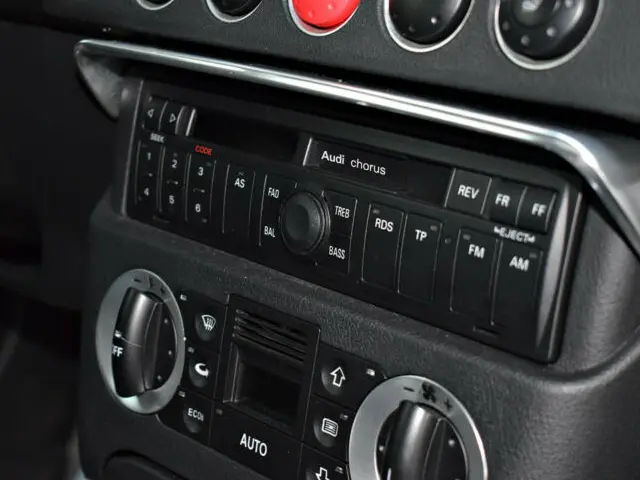
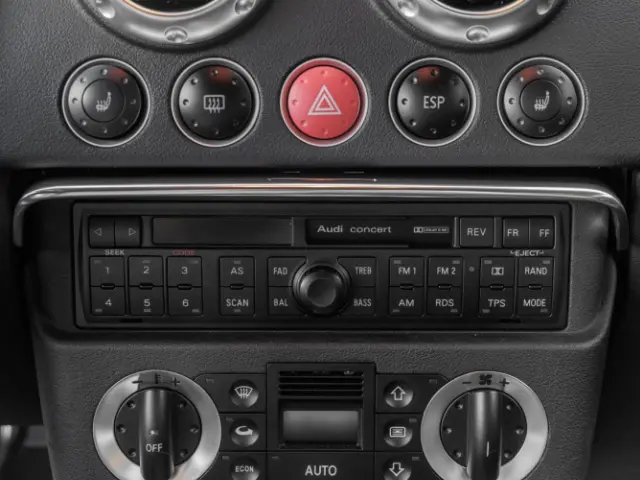
- Switch on the ignition, and turn on the car radio. It displays "SAFE";
- Hold down the TP and RDS keys until you see "1000" on the screen;
- Enter the code using keys 1, 2, 3 and 4 (the first four keys under the screen). For example if your code is "0017":
- press the 1 key 9 times to display "0";
- do not press the 2 key since "0" is already displayed;
- press the 3 key once to display "1";
- press the 4 key 7 times to display "7".
- Validate the code by holding down the TP and RDS keys until the car radio is turned on
- If the code entered is incorrect, the display shows "SAFE 2". Entering another incorrect code will display "SAFE 3". You must then wait 1 hour with both the ignition and radio switched on before you can try entering a code again.
There are tutorials on Youtube
2nd Generation Chorus and Concert Radio
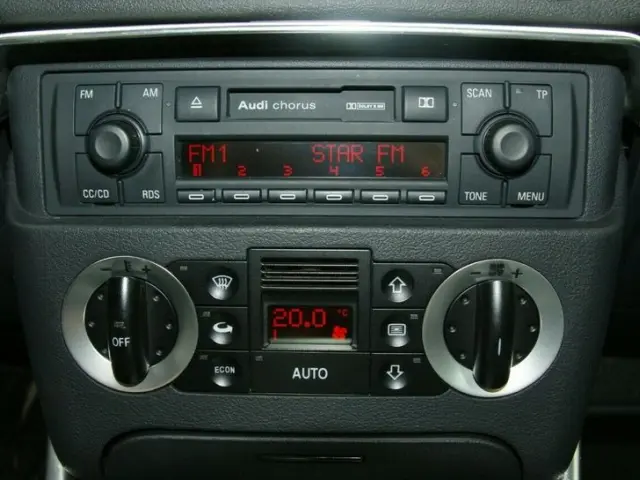
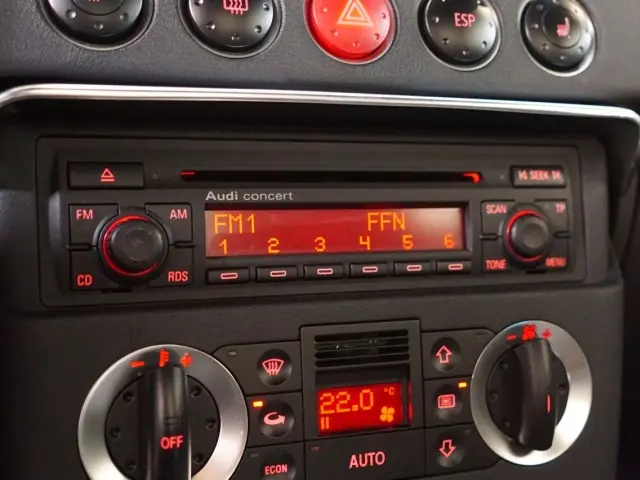
- Switch on the ignition, and turn on the car radio. It displays "SAFE";
- Hold down the RDS and SCAN keys until you see "1000" on the screen;
- Enter the code using keys 1, 2, 3 and 4 (the first four keys under the screen). For example if your code is "0017":
- press the 1 key 9 times to display "0";
- do not press the 2 key since "0" is already displayed;
- press the 3 key once to display "1";
- press the 4 key 7 times to display "7".
- Validate the code by holding down the RDS and SCAN keys until you start the car radio
- If the code entered is incorrect, the display shows "SAFE 2". Entering another incorrect code will display "SAFE 3". You must then wait 1 hour with both the ignition and radio switched on before you can try entering a code again.
There are tutorials on Youtube